
Focused invoicing for independent professionals and small teams.
Draft professional invoices, accept card and bank payments, and keep your client book tidy — without the learning curve of a full accounting suite.
Already have an account? Log in.
Take InvoClaw with you
Invoice clients and check payment status from your phone. iOS is live today; Android is on the way.

- No credit card to start
- You get paid directly — InvoClaw never holds your funds
- Card payments powered by Stripe
- Download every invoice as a PDF
- Email delivery with PDF attached
- Your data stays yours
Everything you need to bill confidently
The common ground between a spreadsheet and a full ERP — without the pain of either.
How it works
Four steps from draft to deposit. InvoClaw handles the parts you don't want to think about.
- 1
Create an invoice or estimate
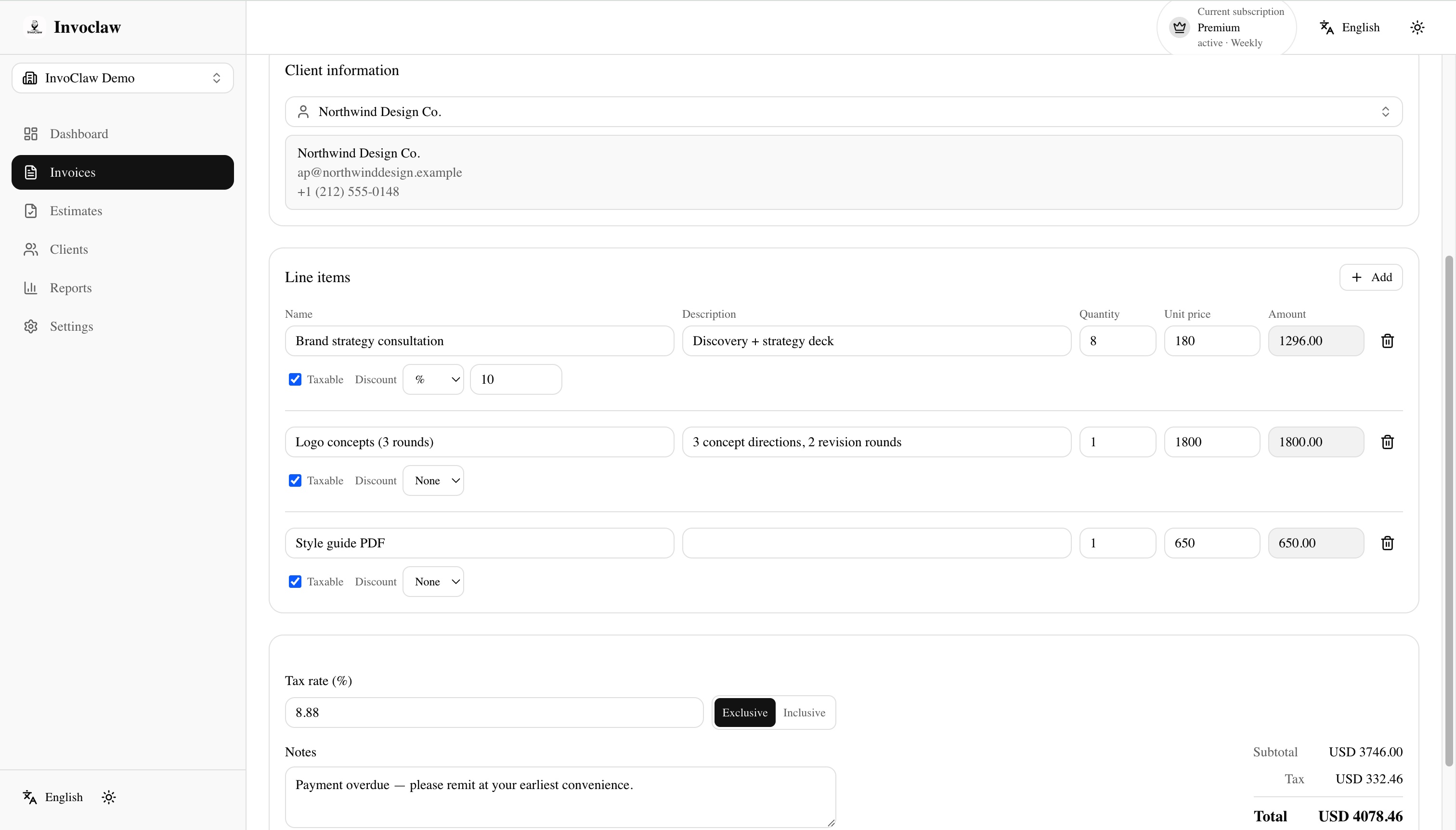
Pick a client, add line items from your templates, and set a due date. Branding is applied automatically.
- 2
Send it professionally
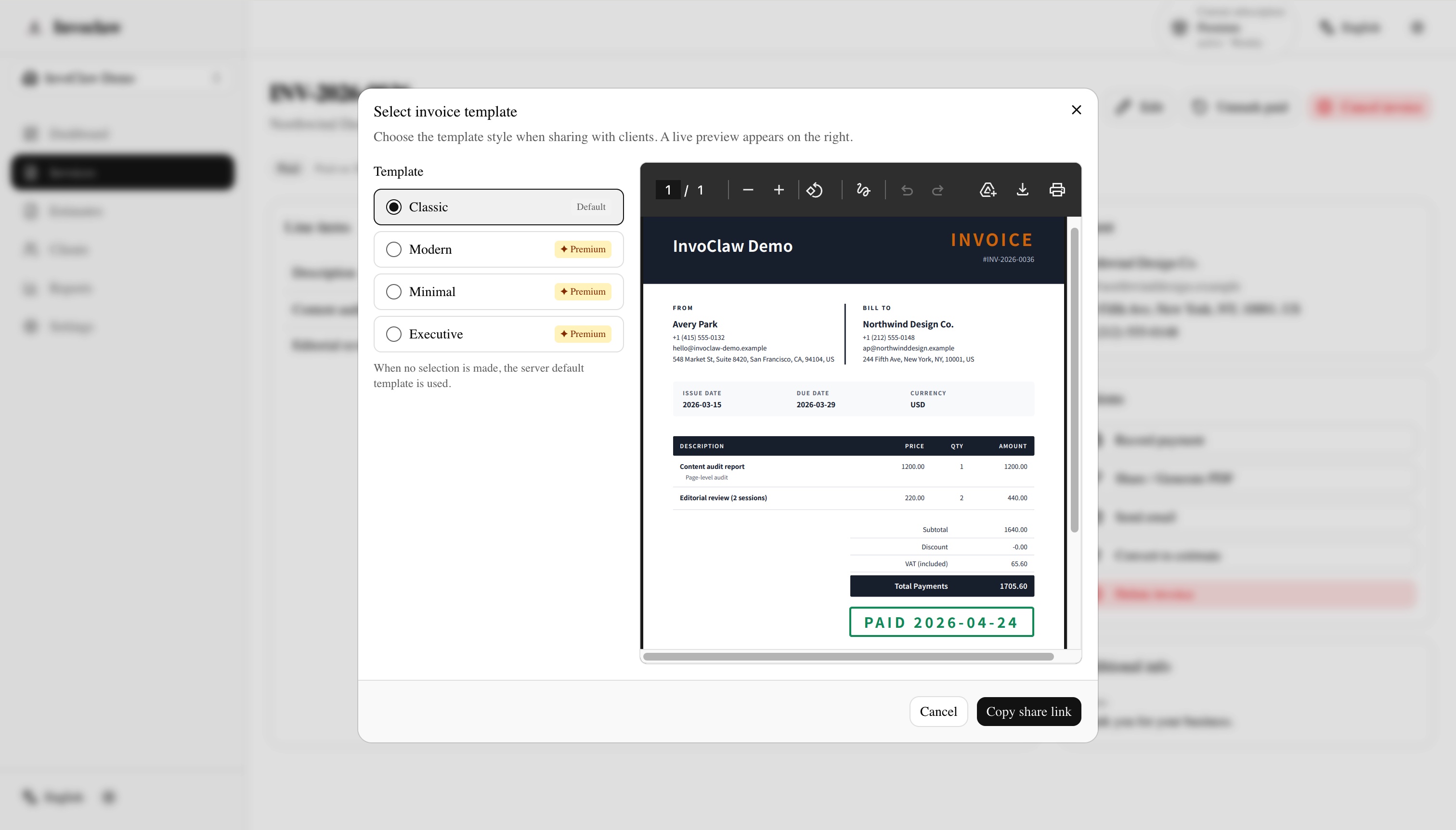
Email delivery with the PDF attached, plus a shareable link your client can open without creating an account.
- 3
Let clients pay online
A hosted Stripe payment page accepts card payments. Status updates land in your dashboard as soon as the charge succeeds.
- 4
Track status and follow up
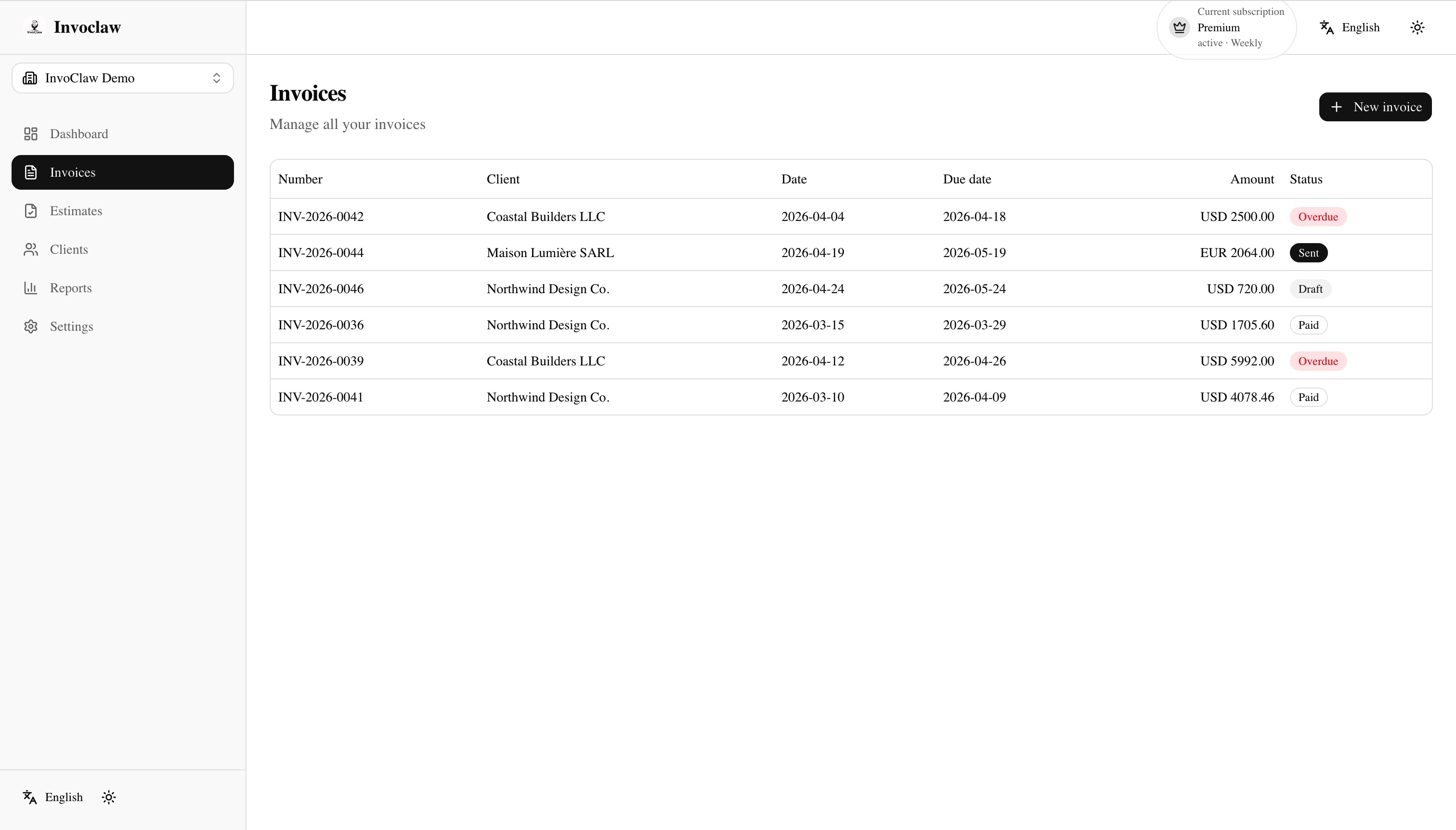
See what's paid, partial, or overdue at a glance, and send a personal reminder from the same invoice when something stalls.
See it in action
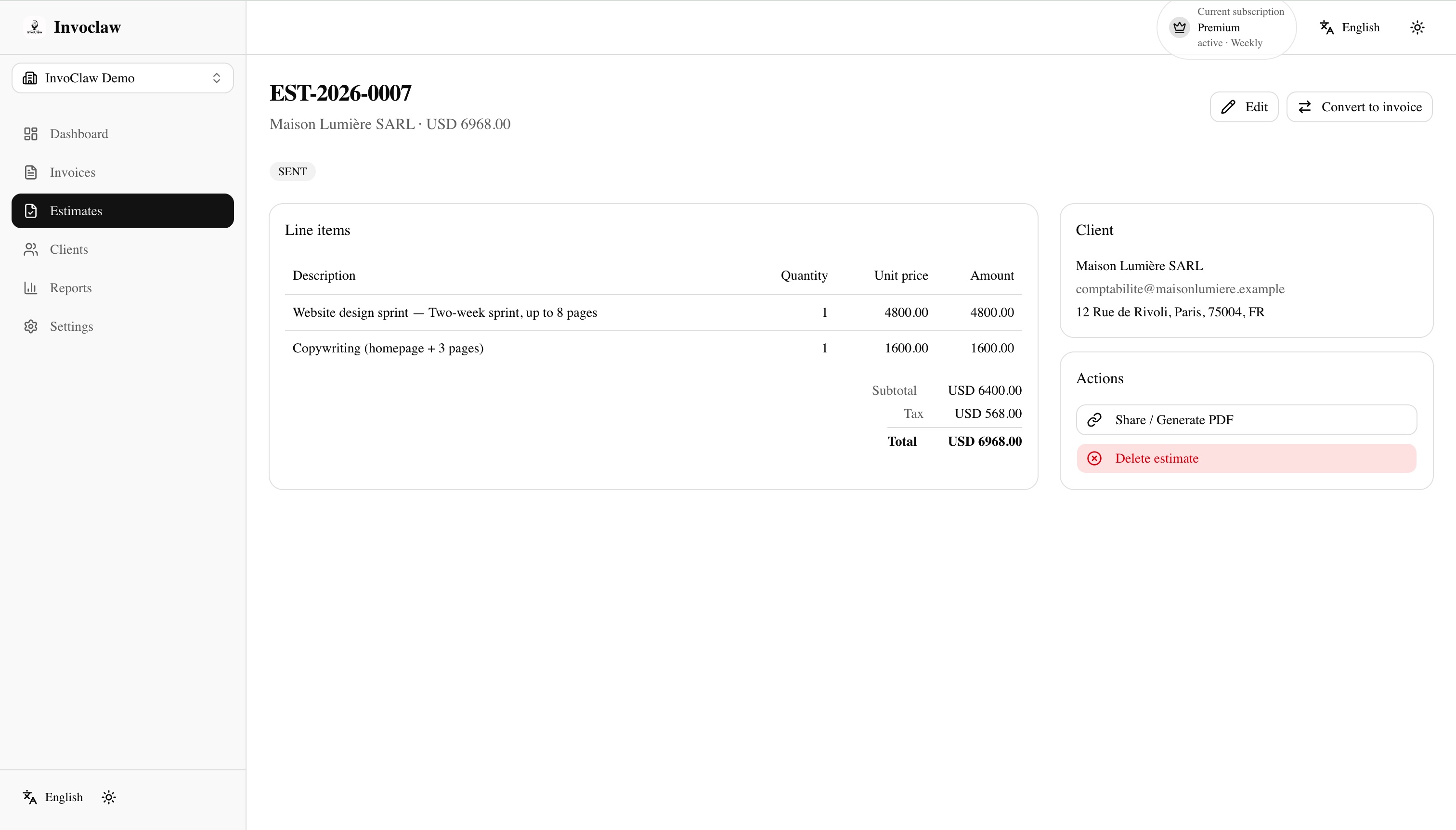
A quick tour of the workspace — from the editor to the client-facing payment page.
Who InvoClaw is built for
We're honest about where InvoClaw shines — and where a different tool would serve you better.
Ideal for
- Freelancers and consultants billing hourly or by project
- Solo legal, design, and creative professionals
- Small service-based teams and agencies
- Independent trades and contractors who invoice repeat clients
- Anyone who has outgrown spreadsheets but doesn't want a full ERP
Probably not the best fit
- Businesses that need full double-entry bookkeeping
- Inventory-heavy retail or wholesale operations
- Enterprise ERP workflows with custom approval chains
- Teams that need advanced tax or multi-entity consolidation
Frequently asked questions
Ready to send your next invoice?
Free to start. Upgrade only when you need more volume, online card payments, or premium invoice templates.